
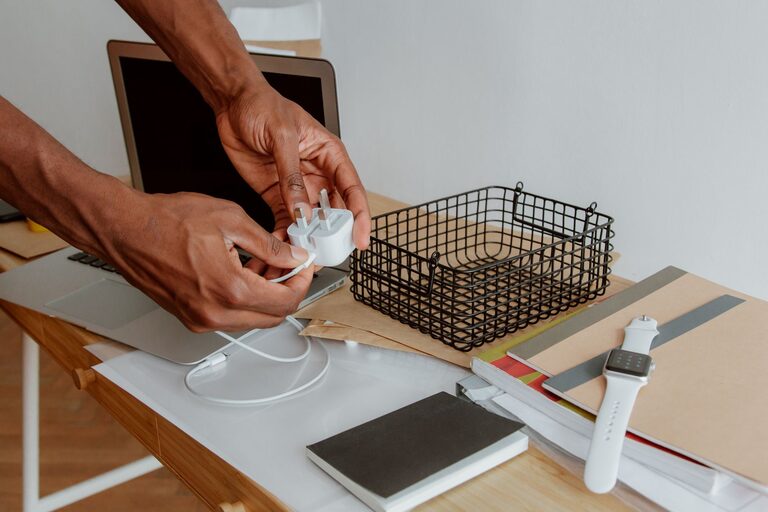
A tangle of cables can make even a tidy room feel cluttered. Chargers get mixed together, cords disappear into drawers, and it can be difficult to find the right cable when you need it. Fortunately, organizing cables does not require expensive equipment or a complicated system.
With a few simple supplies and a little planning, you can create a cable setup that is neat, easy to maintain, and convenient to use. The key is to sort your cables, keep only what you need, and store each item where it is most useful.
Start by gathering every cable
Before organizing anything, collect all of your cables and chargers in one place. Check desks, drawers, bags, closets, nightstands, and storage boxes. Include:
– Phone and tablet charging cables
– Laptop chargers
– USB cables
– Power strips and extension cords
– Audio and video cables
– Camera and gaming cables
– Spare adapters
– Cable ties and other accessories
Seeing everything at once makes it easier to understand how much you have. It also prevents you from organizing one area only to discover another pile of unused cords later.
Place the cables on a clear surface, such as a table or the floor. Untangle them before sorting so you can identify what each one is and whether it still works.
Sort cables into useful groups
Create groups based on how you use your cables. A simple system might include:
Everyday cables
These are the cables you use regularly, such as your phone charger, laptop charger, or smartwatch cable. Keep these within easy reach.
Occasional cables
These may include camera cables, spare charging cables, or adapters used only from time to time. Store them nearby but out of the way.
Travel cables
Create a separate group for cables that go in a travel bag. Keeping these together makes packing faster and reduces the chance of leaving an important charger at home.
Unused or unknown cables
If you do not know what a cable is for, test it if possible. Search for markings on the connector or compare it with your devices. Set unknown cables aside while you decide whether they are worth keeping.
Cables to recycle or discard
Damaged, frayed, bent, or nonworking cables should not remain in your active collection. Check local recycling guidelines before disposing of electronic accessories. Some stores and community centers accept old electronics and cables.
Reduce the number of cables you keep
Many people have more cables than they need because chargers and devices change over time. Once your cables are sorted, look for duplicates and items you have not used in a long time.
You may be able to keep:
– One or two spare charging cables
– A single backup adapter for common devices
– The cables needed for current electronics
– Special cables that are difficult to replace
Avoid keeping every cable “just in case.” A smaller collection is easier to store and maintain. If you are unsure about an item, place it in a labeled box with a review date. If you do not need it after several months, consider recycling it.
Label both ends of important cables
Labels make cable management much easier, especially when several cords look alike. Add a small label near each end of a cable and write what it connects to, such as:
– Laptop
– Monitor
– Printer
– Speaker
– Phone charger
– Travel charger
You can use small adhesive labels, masking tape, or reusable tags. For cables that connect to a power strip, label the device rather than the cable type. This helps you identify the right plug without tracing every cord.
Color coding is another helpful option. For example, use one color for computer equipment, another for entertainment devices, and a third for travel supplies. Choose a system that is simple enough to remember.
Use the right storage method
Different cables are easiest to store in different ways. The goal is to keep them secure without bending them sharply or creating new tangles.
Use reusable cable ties
Reusable hook and loop ties are a practical choice for most cables. Wrap the cable loosely, then secure it with the tie. Avoid pulling tightly, as pressure can damage the cable over time.
You can also use twist ties for short-term organization, although reusable ties are usually easier to handle and reuse.
Store cables in small containers
Small boxes, pouches, and drawer organizers keep cables separated. Use one container for everyday charging cables, another for travel items, and another for occasional accessories.
Clear containers make it easier to see what is inside. If you use opaque boxes, add a label to the front.
Try a cable organizer case
A cable organizer case is useful for travel or for storing small accessories. Many cases have elastic loops and pockets for cables, adapters, memory cards, and earbuds.
Choose a case that is large enough for your needs but not so large that it encourages you to carry unnecessary items.
Use a drawer divider
For a desk or charging station, drawer dividers can keep each cable in its own section. Store longer cords in a larger compartment and short cables in smaller sections. Keep adapters together so they do not get separated from their matching cables.
Create a dedicated charging station
A dedicated charging area prevents chargers from spreading throughout the home. Choose a location near a power outlet, such as a desk, shelf, entryway table, or nightstand.
Keep the setup simple:
- Place a power strip or charging hub in one location.
- Route cables toward the front or side of the station.
- Use clips to hold charging ends in place.
- Label each cable if several look similar.
- Store spare chargers in a nearby container.
A tray or small box can hide the power strip and reduce visual clutter. Make sure the area has enough airflow and that cables are not tightly packed or pressed under heavy objects.
Manage cables under a desk
Desk cables often become tangled because devices are spread across a large area. Start by deciding where each device should sit. Then route each cable along the shortest practical path.
Cable clips can attach cords to the back or underside of a desk. Adhesive cable channels can also hold several cords together and create a cleaner line. For thicker bundles, use a cable sleeve that groups multiple cords into one organized bundle.
Leave a little extra length near devices so you can move them when needed. Do not pull cables tight, and keep them away from chair wheels or areas where they could be stepped on.
Keep travel cables ready to go
A small travel kit saves time and keeps your main charging station organized. Store the kit in a pouch or compact case with the cables you normally use away from home.
Consider including:
– A phone charging cable
– A wall adapter
– A laptop charger, if needed
– A portable battery
– Earbuds or headphones
– A short backup cable
Check the kit occasionally and recharge any battery-powered items. Returning travel cables to the pouch after each trip prevents them from becoming scattered around the house.
Maintain the system
Cable organization works best when it is easy to maintain. After using a cable, return it to its assigned location instead of placing it in the nearest drawer.
Every few months, review your collection. Remove broken items, update labels, and check whether you still need duplicates. If you buy a new device, decide where its cable belongs before opening another storage area.
A useful rule is to keep frequently used cables visible and accessible, while storing occasional cables in labeled containers. This balance keeps your space neat without making everyday tasks inconvenient.
With clear categories, simple labels, and a dedicated storage system, cables and chargers can become easy to find and easy to put away. The result is a cleaner workspace, faster setup, and less time spent untangling cords.